
Best Free Grammar Checker Tools for Urdu Content Writers (2026) | Top 8 Picks
Writing error-free content is the backbone of every successful blog, website, or digital publication. For Urdu content writers who produce material in both Urdu and English, the challenge is even greater. Grammatical mistakes, awkward phrasing, and inconsistent tone can damage your credibility, reduce reader engagement, and hurt your search engine rankings. Whether you are running a news portal in Pakistan, managing a bilingual blog, or creating social media content for an Urdu-speaking audience, having a reliable grammar checker is no longer optional; it is essential.
The good news is that 2026 brings a wide range of free grammar checker tools that cater to different writing needs. From AI-powered platforms that detect nuanced errors to open-source solutions that respect your privacy, there is a tool out there for every type of Urdu content writer. In this comprehensive guide, we will review the eight best free grammar checker tools available today, examine their strengths and limitations specifically for Urdu content creators, and help you choose the one that fits your workflow perfectly.
This article is designed to be your go-to resource. We have tested each tool extensively, compared their features side by side, and included practical tips for getting the most out of them. Whether you write in English, Urdu, or both, you will find actionable advice here that can immediately improve the quality of your content.
Why Do Urdu Content Writers Need Grammar Checkers?
Urdu content writers face a unique set of challenges that make grammar checking tools particularly valuable. First, many Urdu writers operate in bilingual environments, producing content in both Urdu and English. Switching between two languages with entirely different grammatical structures increases the likelihood of errors. English follows a Subject-Verb-Object order, while Urdu uses Subject-Object-Verb, which means writers often carry over structural habits from one language to the other.
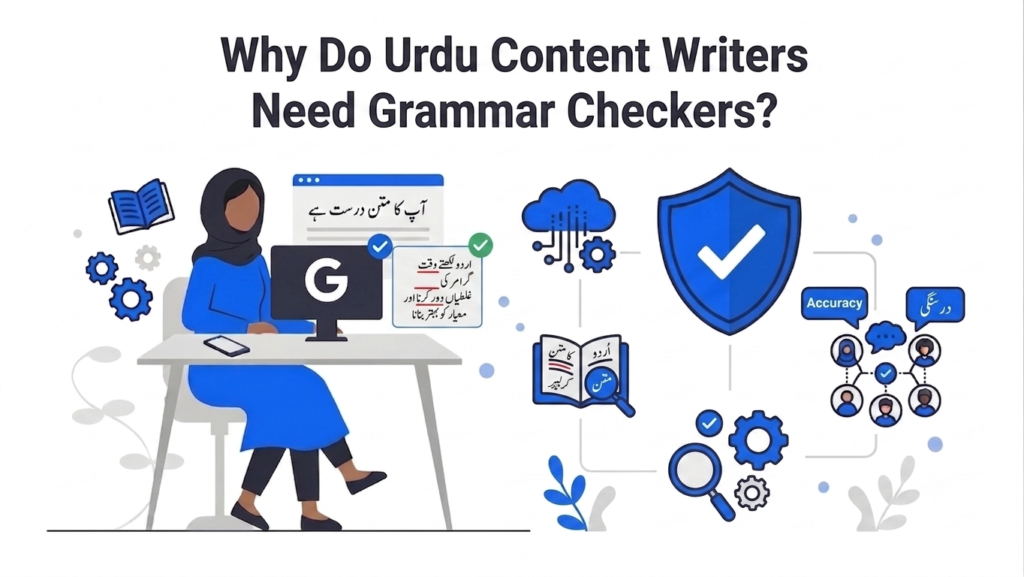
Second, the digital content landscape in Pakistan and among the global Urdu-speaking diaspora has exploded. From news websites and educational blogs to e-commerce product descriptions and social media campaigns, the demand for high-quality written Urdu and English content has never been higher. Search engines like Google reward well-written, error-free content with better rankings, making grammar tools a direct contributor to your SEO success.
Third, reader expectations have evolved. Modern audiences are quick to leave a page that contains obvious spelling or grammatical mistakes. Studies show that a single glaring error can reduce the perceived trustworthiness of an entire article by as much as 40 percent. For monetized websites that depend on AdSense revenue, high bounce rates caused by poor content quality translate directly into lost earnings.
8 Best Free Grammar Checker Tools for Urdu Writers in 2026
After extensive testing and research, we have identified the following eight tools as the most effective free options for Urdu content writers. Each tool has been evaluated on its accuracy, ease of use, features available in the free tier, and relevance to bilingual writing workflows.
1. Grammarly (Free Version)
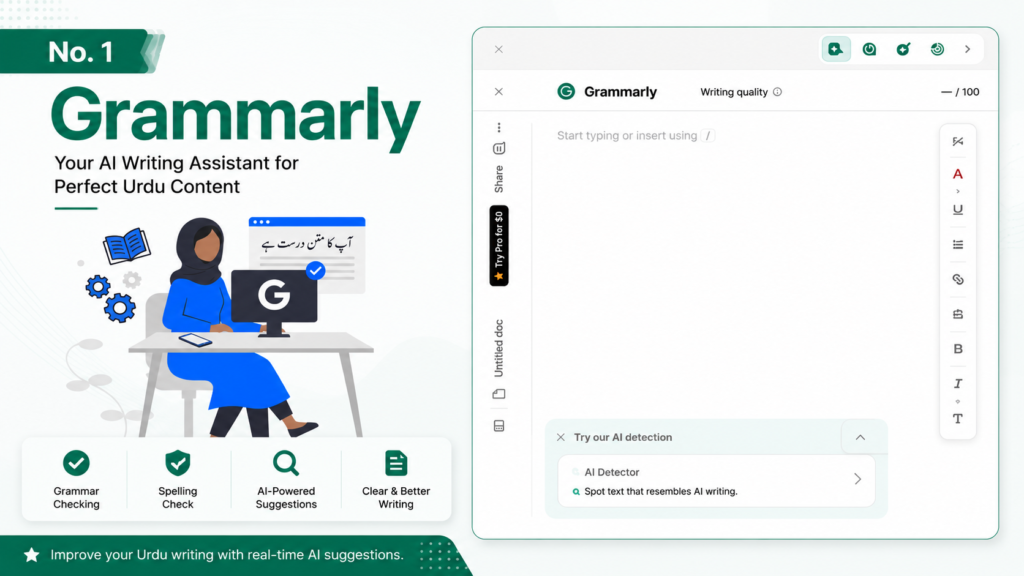
Grammarly remains the undisputed leader in the grammar checking space, and its free version continues to be one of the most generous offerings available in 2026. The free tier covers all the essentials: spelling mistakes, punctuation errors, basic grammar rules, and tone detection. For Urdu writers who primarily produce English content, Grammarly is the single most impactful tool you can add to your workflow.
What makes Grammarly particularly useful is its browser extension, which works seamlessly across Google Docs, WordPress, social media platforms, and email clients. This means you get real-time grammar corrections no matter where you are writing. The AI engine has been significantly upgraded in 2026, and it now catches contextual errors that previous versions would miss, such as incorrect word usage in specific contexts and inconsistent tense shifts within paragraphs.
- Pros: Excellent accuracy for English grammar, real-time browser integration, tone detection, generous free tier, easy to use interface.
- Cons: No Urdu language support, premium features like style suggestions and plagiarism detection require a paid plan, requires an internet connection.
- Best for: Urdu content writers who produce English articles, blog posts, and social media content and want the most reliable all-around grammar checker.
2. ProWritingAid (Free Plan)
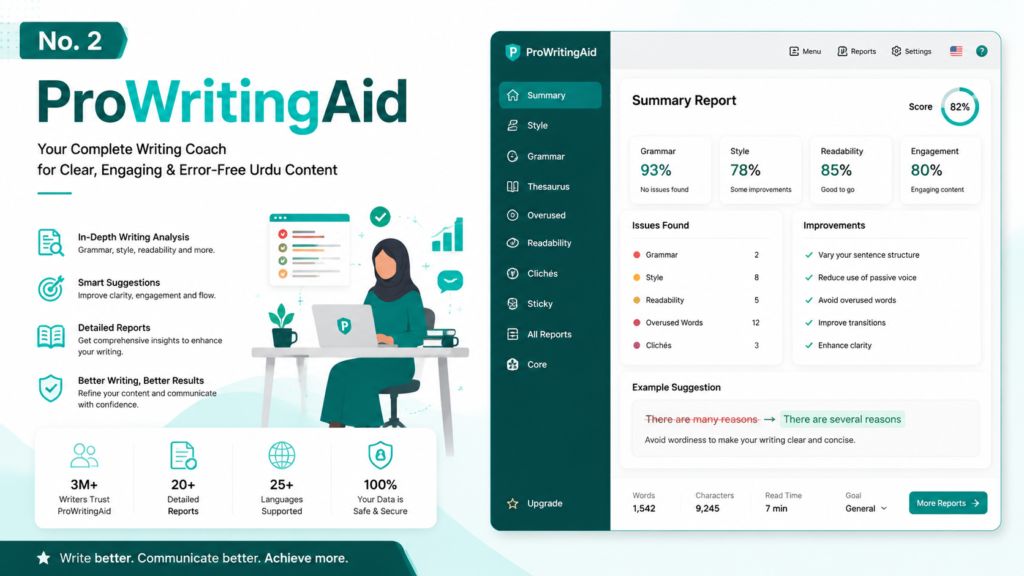
ProWritingAid takes a fundamentally different approach from Grammarly. Instead of just fixing errors, it provides over twenty different writing reports that analyze your content for readability, style, pacing, cliches, redundancies, and much more. For Urdu writers who are serious about improving the overall quality of their English writing, not just fixing mistakes, ProWritingAid is an invaluable resource.
The free plan allows you to check up to 500 words at a time, which is sufficient for editing individual paragraphs or sections. You can run multiple reports on the same text, identify recurring issues in your writing, and track your improvement over time. The tool also integrates directly with Google Docs, Microsoft Word, and most major web browsers, making it convenient to use regardless of your preferred writing environment.
One standout feature for content writers is the Readability Score analysis, which tells you exactly how accessible your writing is to your target audience. This is particularly useful for Urdu writers who create educational content or write for audiences with varying levels of English proficiency. The tool suggests simpler alternatives for complex sentences, helping you reach a wider readership.
- Pros: Comprehensive writing analysis with 20+ reports, readability scoring, style improvement suggestions, integrates with popular platforms.
- Cons: 500-word limit per check on the free plan, steeper learning curve due to the number of reports, no Urdu language support.
- Best for: Detail-oriented writers who want in-depth analysis beyond basic grammar correction and are willing to check their content in sections.
3. LanguageTool (Open Source)
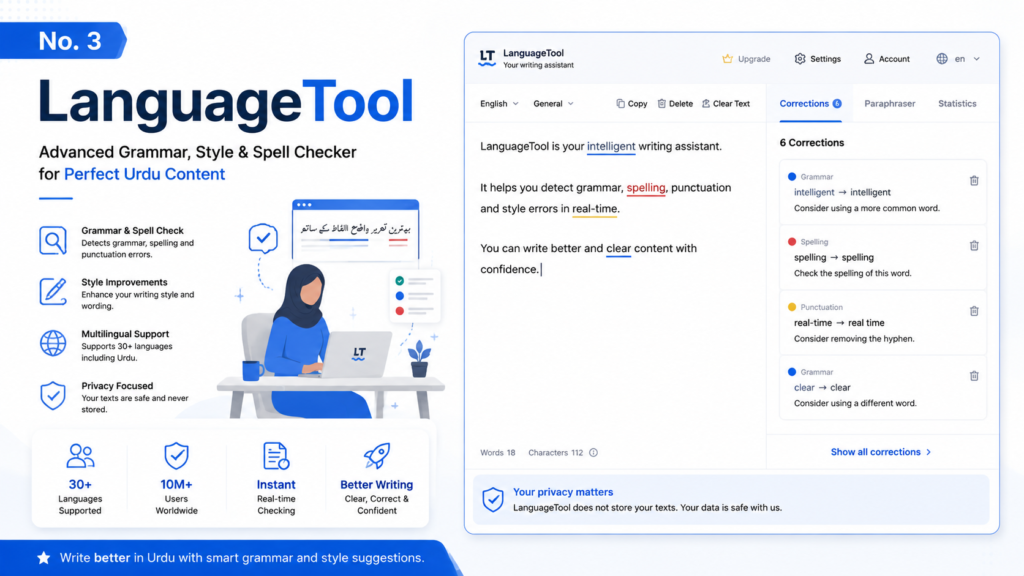
LanguageTool stands out from the crowd because it is open source and supports over thirty languages, making it the most multilingual option on this list. While its Urdu support is currently limited to basic spell checking through community-contributed dictionaries, its strength lies in being a privacy-first, self-hostable solution. For Urdu writers who are concerned about sending their unpublished content through third-party servers, LanguageTool offers a compelling alternative.
The free web version provides unlimited checks and catches a wide range of English grammar and spelling errors. It also detects style issues, such as overly long sentences and passive voice overuse. LanguageTool can be installed as a browser extension, a desktop application, or even self-hosted on your own server for complete data privacy. The open-source nature of the tool means that its language databases are continuously improving, and Urdu support is expected to expand in future updates.
For bilingual Urdu writers, LanguageTool has a unique advantage: you can switch between language modes with a single click, making it easy to check English content and then verify Urdu text in the same session. The interface is clean and straightforward, with color-coded underlines that distinguish between different types of errors.
- Pros: Open source and privacy-focused, supports 30+ languages, unlimited free checks, can be self-hosted, browser and desktop apps available.
- Cons: Urdu grammar support is still limited, less polished UI compared to Grammarly, fewer advanced features in the free web version.
- Best for: Privacy-conscious writers, multi-lingual content creators, and those who want a free tool without word limits or account requirements.
4. Ginger Grammar Checker (Free)
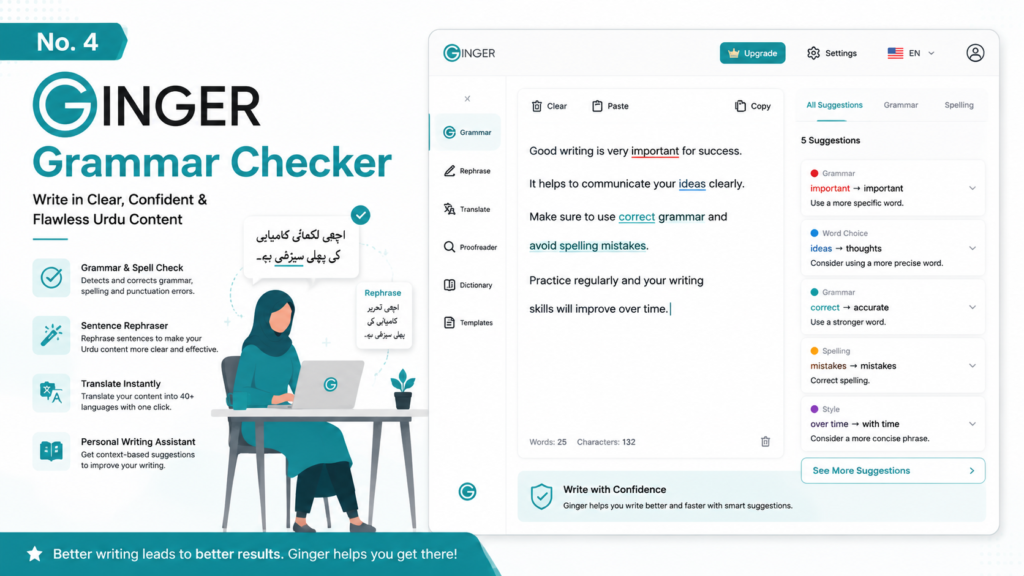
Ginger Grammar Checker has earned a loyal following among non-native English writers, and for good reason. Its standout feature is the sentence rephrasing capability, which does not just flag errors but actually suggests better ways to write the same sentence. For Urdu writers who sometimes struggle with natural English phrasing, this feature is incredibly valuable because it helps you learn while you write.
The free version of Ginger includes unlimited grammar and spelling checks, a personal dictionary where you can add Urdu-specific terms and names that the tool might otherwise flag, and a text reader that reads your content aloud so you can hear how it sounds. This text-to-speech feature is particularly useful for catching awkward phrasing that might look correct on screen but sounds unnatural when read.
Ginger also offers a translation feature and a language practice module in its free tier. The translation tool supports Urdu, allowing you to translate English text into Urdu and vice versa. While it should not replace a dedicated translation tool for professional work, it is handy for quick checks and understanding. The practice module helps non-native speakers improve their English grammar through interactive exercises.
- Pros: Sentence rephrasing is excellent for non-native writers, text-to-speech for audio proofreading, personal dictionary support, translation includes Urdu.
- Cons: Browser extension can be slow at times, interface feels dated compared to newer competitors, some advanced features locked behind premium.
- Best for: Urdu writers who want to improve their English phrasing and learn from suggested rewrites.
5. Hemingway Editor (Free Web Version)
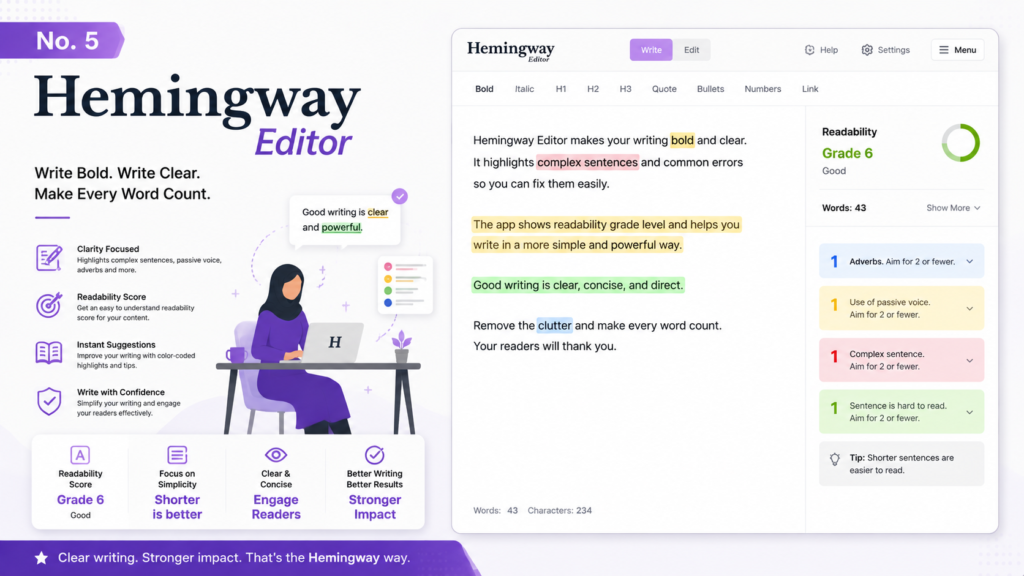
The Hemingway Editor approaches writing improvement from a completely different angle. Instead of checking for grammatical errors, it focuses on readability and clarity. It highlights sentences that are too complex, identifies passive voice, flags adverb overuse, and points out phrases that have simpler alternatives. For Urdu content writers who want their English content to be accessible to a broad audience, the Hemingway Editor is an essential companion tool.
The free web version at hemingwayapp.com is fully functional and does not require any sign-up. You simply paste your text, and the tool immediately provides a readability grade level along with color-coded highlights for different issues. Yellow highlights indicate sentences that are hard to read, red highlights flag very dense sentences, blue highlights show adverbs, green highlights indicate passive voice, and purple highlights suggest simpler alternatives for complex phrases.
While the Hemingway Editor does not catch traditional grammar mistakes like misspelled words or subject-verb agreement errors, it complements grammar checkers perfectly. The recommended workflow is to first run your content through a grammar checker like Grammarly or LanguageTool, and then paste it into Hemingway for readability optimization. This two-step process produces content that is not only correct but also engaging and easy to read, which is exactly what search engines and readers reward.
- Pros: Completely free with no sign-up required, excellent readability analysis, clean and distraction-free interface, helps improve writing style over time.
- Cons: Does not check grammar or spelling, only a web tool (desktop app is paid), limited to English text analysis.
- Best for: Writers who want to make their English content more readable and engaging, especially for blog posts and web articles.
6. QuillBot Grammar Checker (Free)
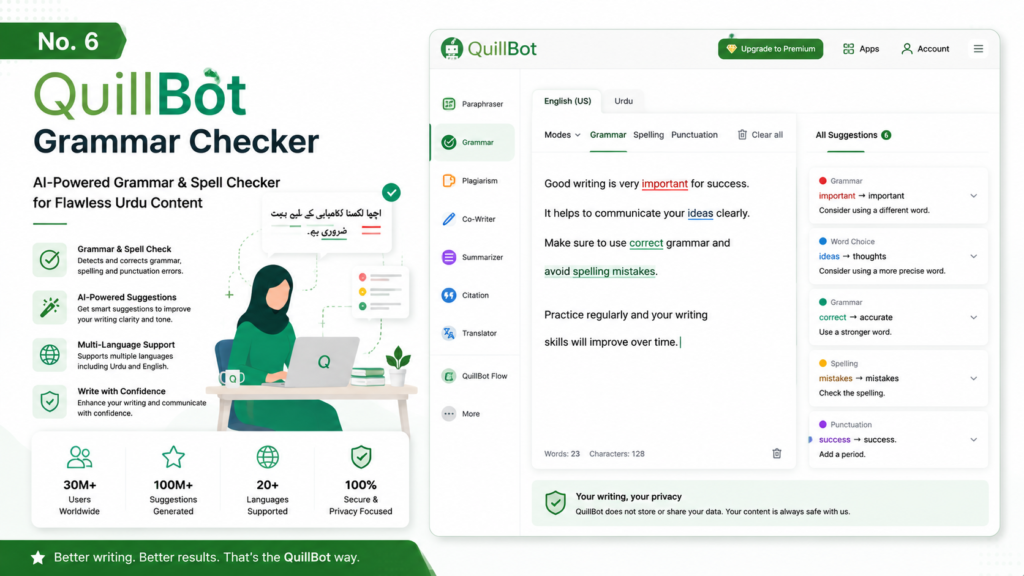
QuillBot has rapidly evolved from a simple paraphrasing tool into a comprehensive writing assistant, and its free grammar checker is now one of the most capable options available. What sets QuillBot apart is the seamless integration between its grammar checker and its AI-powered paraphraser. When QuillBot detects a grammatical error, it not only corrects it but can also offer multiple rephrased versions of the sentence, giving you choices rather than a single fix.
The free tier allows you to check up to 125 words at a time, which is perfect for editing individual paragraphs. The grammar checker catches spelling mistakes, punctuation errors, subject-verb agreement issues, and common confusions like their/there/your/you are. The paraphrasing tool offers several modes including Standard, Fluency, Formal, and Creative, each producing a different style of output. For Urdu writers who need to adapt their English content for different audiences, these modes are extremely useful.
QuillBot also includes a summarizer tool in its free tier, which can condense long articles into shorter versions. This is helpful for content writers who need to create meta descriptions, social media snippets, or executive summaries from longer pieces. The interface is modern and intuitive, and the tool works as both a web application and a browser extension.
- Pros: Combined grammar checker and paraphraser, multiple rewriting modes, summarizer included in free tier, modern and clean interface.
- Cons: 125-word limit per query on the free plan, paraphrasing quality varies depending on sentence complexity, requires account for extended use.
- Best for: Writers who want grammar correction and paraphrasing in a single tool, especially those who create content in multiple styles or tones.
7. Google Docs Built-in Grammar and Spell Check
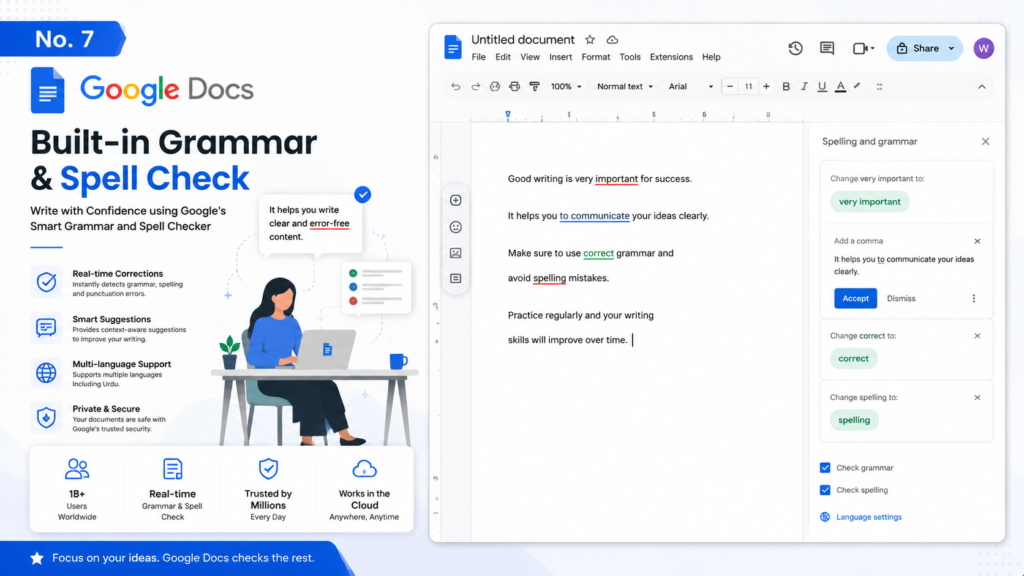
Google Docs has quietly built one of the most underrated grammar checking systems available, and it is completely free for anyone with a Google account. The built-in grammar checker has received significant AI upgrades throughout 2025 and 2026, and it now catches a surprisingly wide range of errors including subject-verb agreement, wrong word usage, tense consistency, and common punctuation mistakes.
The biggest advantage of Google Docs is that the checking happens in real time as you type, with no additional software or extension required. Red underlines indicate spelling errors, blue underlines flag grammar suggestions, and gray underlines show style recommendations. You can accept or reject each suggestion with a single click, and the system learns from your corrections over time.
For Urdu content writers who collaborate with editors or team members, Google Docs offers an unbeatable combination of writing and collaboration tools. The comment system, suggestion mode, version history, and real-time co-editing make it the default writing environment for many content teams across Pakistan and beyond. The grammar checker, while not as comprehensive as dedicated tools like Grammarly, is more than sufficient for most writing tasks and has the advantage of being built directly into your writing workflow.
- Pros: Completely free, real-time checking, no additional software needed, excellent collaboration features, continuous AI improvements.
- Cons: Less comprehensive than dedicated grammar tools, only works within Google Docs, limited style and readability analysis.
- Best for: Writers who already use Google Docs as their primary writing tool and want basic grammar checking without installing additional software.
8. Reverso Speller and Grammar Checker
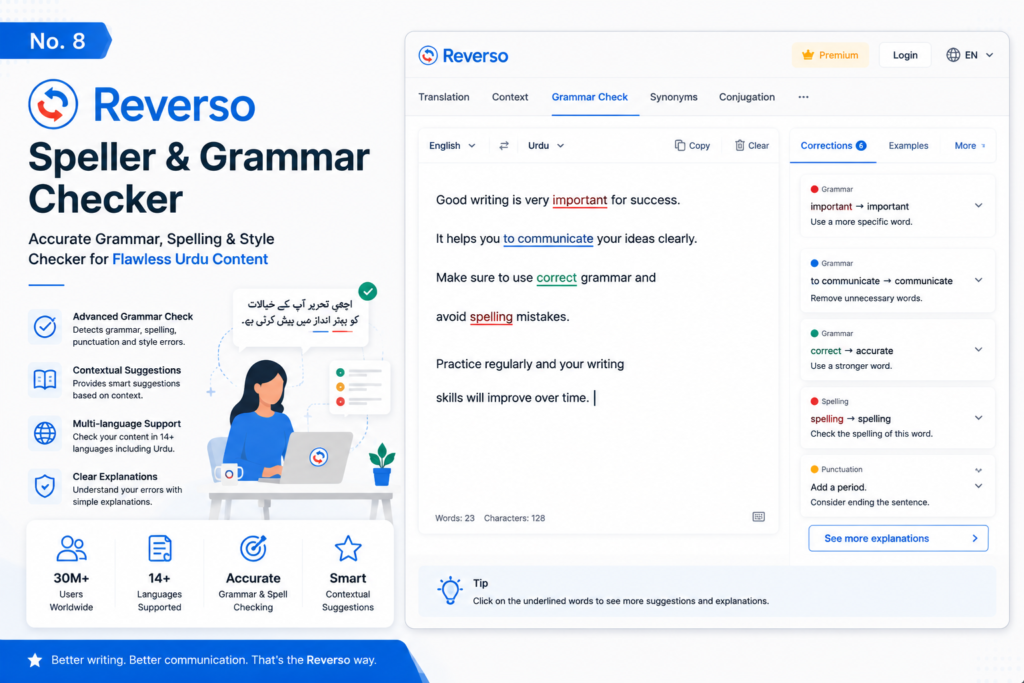
Reverso is a uniquely valuable tool for Urdu content writers because it combines grammar checking with translation, making it ideal for bilingual workflows. The platform supports multiple languages, including Urdu, and its context-based engine provides corrections that take surrounding text into account rather than analyzing sentences in isolation. This contextual awareness leads to more accurate suggestions, especially for complex sentences.
The grammar checker identifies spelling errors, grammatical mistakes, and awkward phrasing in English text. What makes Reverso particularly useful for Urdu writers is its translation feature, which allows you to cross-reference your English content against Urdu translations to ensure accuracy and nuance. The tool also provides example sentences from real-world sources, helping you understand how words and phrases are used in context.
Reverso offers a browser extension, a mobile app, and a web-based interface, giving you flexibility in how you access it. The free version includes unlimited grammar checks and translations, though some advanced features like the premium dictionary and synonym suggestions require a paid subscription. For Urdu writers who frequently work with both languages, Reverso provides a convenient all-in-one solution that eliminates the need to switch between multiple tools.
- Pros: Combines grammar checking with Urdu-English translation, context-aware corrections, real-world example sentences, unlimited free usage.
- Cons: Grammar checking is less detailed than Grammarly or ProWritingAid, interface can feel cluttered, some advanced features require premium.
- Best for: Bilingual Urdu-English writers who need both grammar checking and translation in a single platform.
Comparison Table: Best Free Grammar Checkers at a Glance
| Tool | Urdu Support | Key Features | Word Limit | Best For |
|---|---|---|---|---|
| Grammarly | English only | AI-powered, tone detection, browser extension | Unlimited | Overall best for English content |
| ProWritingAid | English only | 20+ reports, style analysis, integration | 500 words/query | In-depth writing analysis |
| LanguageTool | Multi-language (limited Urdu) | Open source, 30+ languages, privacy | Unlimited | Multi-lingual writers |
| Ginger | English only | Sentence rephrase, translation, practice | Unlimited | Sentence-level corrections |
| Hemingway Editor | English only | Readability score, clarity focus | Unlimited | Making content readable |
| QuillBot | English only | Paraphraser + grammar, AI-powered | 125 words/query | Quick grammar + paraphrasing |
| Google Docs | English only | Built-in, real-time, collaborative | Unlimited | Google Workspace users |
| Reverso | Multi-language (limited Urdu) | Context-based, translation + grammar | Unlimited | Translation + grammar combined |
How to Choose the Right Grammar Checker for Urdu Content
Selecting the right grammar checker depends on several factors specific to your writing workflow and goals. Here is a practical decision framework to help you make the best choice based on your individual situation as an Urdu content writer.
- If you write primarily in English: Grammarly is your best bet. Its accuracy, browser integration, and real-time checking make it the most convenient option for day-to-day writing. Pair it with the Hemingway Editor for readability optimization, and you have a powerful two-tool combination that covers all the bases.
- If you write in both Urdu and English: LanguageTool and Reverso are your strongest options because they offer multi-language support. Use LanguageTool for its open-source approach and unlimited free checks, or choose Reverso if you frequently need translation alongside grammar checking.
- If you are a detail-oriented analyst: ProWritingAid provides the deepest analysis with its 20+ writing reports. The 500-word limit means you will need to check your content in sections, but the insights you gain about your writing patterns are invaluable for long-term improvement.
- If you want to improve your English phrasing: Ginger and QuillBot both offer sentence rephrasing capabilities. Ginger excels at suggesting natural alternatives, while QuillBot provides multiple rewriting modes that can adapt your content for different audiences and tones.
- If you want a zero-setup solution: Google Docs built-in checker is always there when you need it. It requires no installation, no sign-up for a separate service, and integrates perfectly with the most popular collaborative writing platform used by content teams worldwide.
Pro Tips for Urdu Writers Using Grammar Tools
Getting the most out of grammar checker tools requires more than just running your text through them and accepting all suggestions. Here are some practical tips that will help you use these tools more effectively and produce better content consistently.
Tip 1: Use multiple tools in combination. No single grammar checker catches every error. The most effective approach is to use two or three tools together. For example, run your content through Grammarly first for basic corrections, then paste it into Hemingway for readability analysis, and finally check it in LanguageTool for any errors the others might have missed. This multi-tool approach catches significantly more issues than relying on any single tool.
Tip 2: Build a personal dictionary. Urdu names, places, and transliterated terms often trigger false positives in English grammar checkers. Most tools, including Grammarly and Ginger, allow you to add words to a personal dictionary. Take the time to add commonly used Urdu terms, proper nouns, and specialized vocabulary so the tools do not flag them incorrectly in future sessions.
Tip 3: Review suggestions before accepting. Grammar checkers are not perfect, and they sometimes suggest changes that alter your intended meaning. Always review each suggestion in context before accepting it. This is especially important for Urdu writers who may use certain English constructions deliberately for stylistic or cultural reasons.
Tip 4: Check your content in sections. For tools with word limits like ProWritingAid and QuillBot, break your content into logical sections before checking. This also has the benefit of forcing you to review each section individually, which often catches issues that you might miss when reviewing the entire article at once.
Tip 5: Pay attention to recurring errors. Most grammar tools track the types of errors they find in your writing. If you notice the same mistakes appearing repeatedly, take the time to study those grammar rules. Over time, you will make fewer of these errors naturally, which improves both your writing speed and quality.
Frequently Asked Questions
Q: Are there any grammar checkers that fully support the Urdu language?
A: Currently, no mainstream free grammar checker offers comprehensive Urdu grammar checking. LanguageTool and Reverso provide limited Urdu spell checking through community-contributed dictionaries, but full grammar analysis for Urdu is still developing. For Urdu content, the best approach is to use these tools for spell checking and rely on human editing for grammatical nuances.
Q: Can I use these grammar checkers for free for commercial content?
A: Yes, all the tools listed in this article offer free tiers that can be used for commercial content creation. However, be sure to check each tool specific terms of service, as some may have restrictions on the volume of commercial use or require attribution in certain contexts. Grammarly, LanguageTool, and Google Docs are particularly safe for commercial use.
Q: Which grammar checker is best for beginner Urdu writers who are learning English?
A: Ginger is the best choice for beginners because its sentence rephrasing feature helps you learn correct English phrasing as you write. The text-to-speech feature is also excellent for auditory learners. QuillBot is a close second because its paraphrasing modes show you different ways to express the same idea, which builds your vocabulary and sentence construction skills.
Q: Do these tools work on mobile devices?
A: Most of these tools offer mobile compatibility. Grammarly has a dedicated mobile keyboard for both Android and iOS. LanguageTool, Ginger, and Reverso all have mobile apps. Google Docs works perfectly in mobile browsers. Hemingway Editor and ProWritingAid are primarily web-based but are accessible through mobile browsers.
Final Verdict
Choosing the right grammar checker ultimately comes down to understanding your specific needs as an Urdu content writer. If we had to pick just one, Grammarly remains the most reliable and comprehensive free option for English content, offering unmatched accuracy and convenience through its browser extension and real-time checking. However, the true power lies in combining multiple tools to create a personalized editing workflow that addresses all aspects of your writing.
For the best results, we recommend using Grammarly as your primary grammar checker, supplementing it with the Hemingway Editor for readability analysis, and keeping LanguageTool or Reverso handy for multi-language needs. This combination gives you comprehensive coverage without spending a single rupee. As these tools continue to evolve and improve their language support, Urdu content writers will have even more powerful resources at their disposal in the years to come.
Start implementing these tools today, and you will see an immediate improvement in the quality, readability, and engagement of your content. Better writing leads to better rankings, more readers, and higher AdSense revenue. The tools are free; all you need to invest is the time to learn and use them consistently.
Thank you for Visiting: Gotooly.online